Strapi API Client
The Strapi API client provides a type-safe interface for fetching content from Strapi CMS. It implements a dual-client pattern with proxy routes for security.
Use PublicStrapiClient for fetching public CMS content. Use PrivateStrapiClient for fetching user-specific data that depends on end-user authentication.
Architecture
PublicStrapiClient is the default choice for shared CMS content: pages, navigation, footer data, SEO data, and other content that is the same for every visitor. It uses Strapi application API tokens on the server side, so client components should reach it through the public proxy route when browser-side fetching is needed.
PrivateStrapiClient is for content that belongs to the signed-in end user. It uses the end user's Strapi JWT from the Better Auth session, or a JWT passed directly in request options, and should be used for protected endpoints where the response depends on the current user.
Automatic user JWT lookup reads the Better Auth session. In Server Components this is a dynamic operation, so it prevents static rendering. When a PrivateStrapiClient.fetchAPI() request should not detect the current user or send an Authorization header, pass omitUserAuthorization: true in the options object.
Both clients share the same base behavior for locale handling, response parsing, endpoint mapping through API_ENDPOINTS, and default Strapi fetch caching.
import { PrivateStrapiClient, PublicStrapiClient } from "@/lib/strapi-api"
You do not need proxy routes when all Strapi data is fetched in Server Components or Route Handlers, the browser never sends Strapi write requests, and there is no end-user authorization. In that setup, remove the proxies and keep the architecture simpler.
Proxy Routes
Client components can use proxy routes when they need to call Strapi through the Next.js server. These routes hide STRAPI_URL, keep server-side tokens out of the browser, and enforce an endpoint allowlist.
See Public Strapi Proxy and Private Strapi Proxy for route behavior and allowlist rules.
TypeScript Support
The client uses @repo/strapi-types so requests and responses are typed from the selected Strapi content type UID. For example, calling fetchOne("api::page.page", ...) gives TypeScript the matching page response shape, while query params are typed against the same content type.
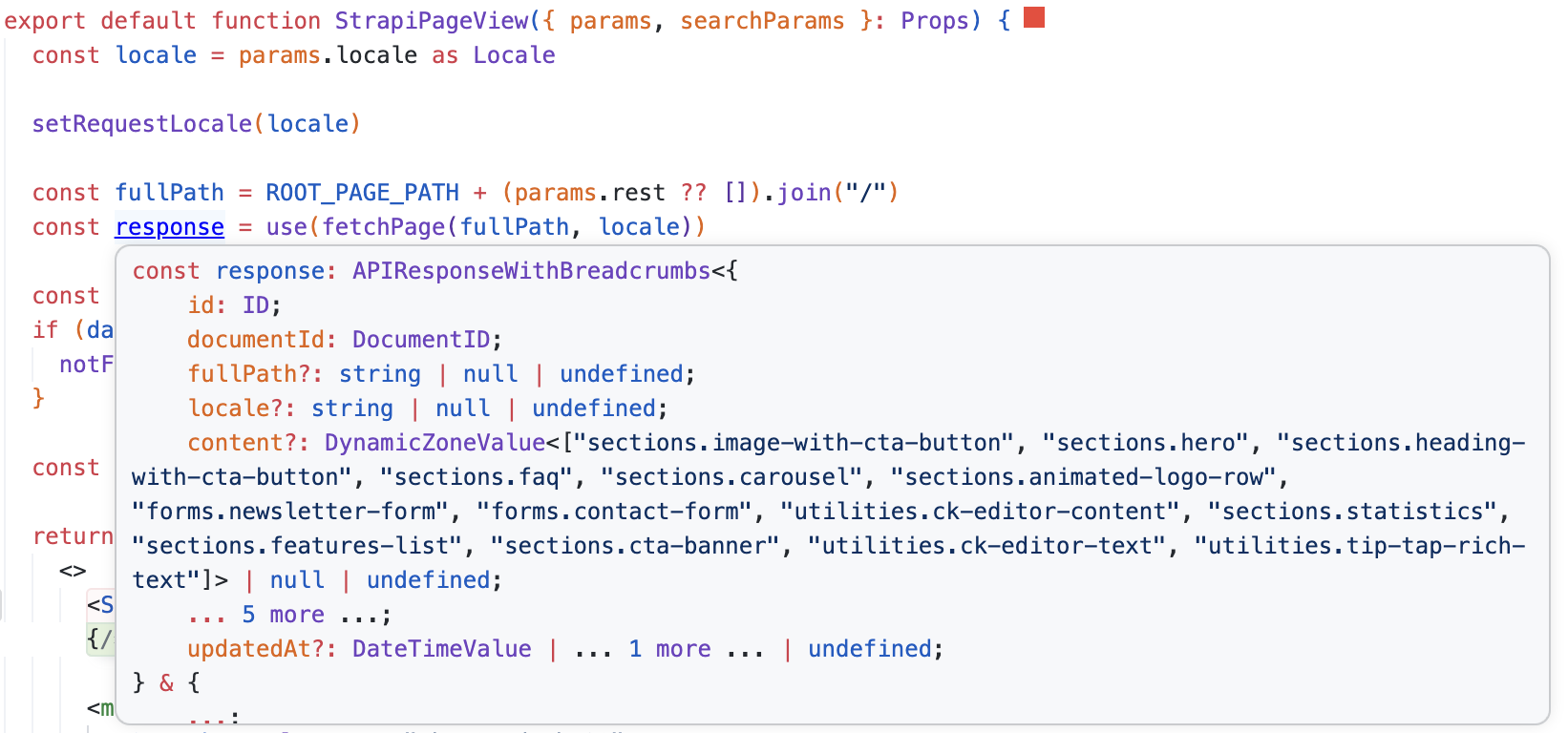
The selected content type also drives typed request options, including nested populate configuration such as populate: { seo }.
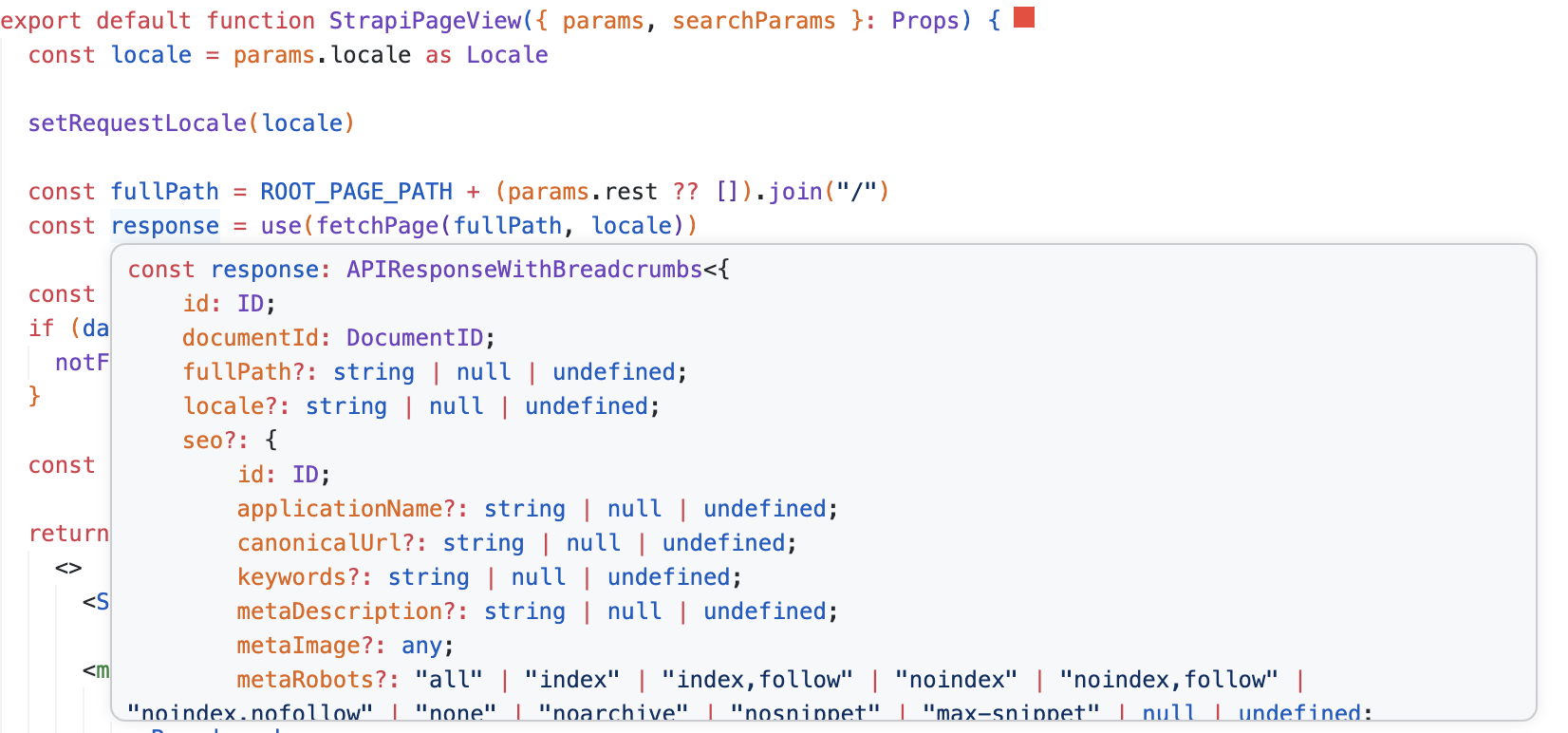
The generated types come from the Strapi schemas and are shared through packages/strapi-types. See @repo/strapi-types for package details.
Adding New Endpoints
Add every fetchable content type to API_ENDPOINTS:
// apps/ui/src/lib/strapi-api/base.ts
export const API_ENDPOINTS: { [key in UID.ContentType]?: string } = {
  "api::page.page": "/pages",
  "api::footer.footer": "/footer",
  "api::your-new-type.your-new-type": "/your-new-types", // add here
}
Keep API_ENDPOINTS in sync with Strapi content types. The client uses this mapping to resolve the REST endpoint for a selected UID, and TypeScript uses the same UID to infer typed request options and response data.
Add the endpoint to the proxy allowlist when it needs to be fetched from browser-side code, usually through a client component using a proxy route:
// apps/ui/src/lib/strapi-api/request-auth.ts
const ALLOWED_STRAPI_ENDPOINTS = {
  GET: [
    "api/your-new-types", // add here
  ],
}
Fetch Methods
fetchOne()
Fetch a single document by ID (collection types) or without ID (single types).
// Single type (no ID)
const navbar = await PublicStrapiClient.fetchOne(
  "api::navbar.navbar",
  undefined,
  { locale, populate: { links: true } }
)

// Collection type (with ID)
const page = await PublicStrapiClient.fetchOne("api::page.page", documentId, {
  locale,
  populate: { content: true },
})
fetchMany()
Fetch multiple documents with optional filters and pagination.
const pages = await PublicStrapiClient.fetchMany("api::page.page", {
  locale,
  filters: { slug: { $startsWith: "blog" } },
  pagination: { page: 1, pageSize: 10 },
})
fetchAll()
Fetch all documents, automatically handling pagination.
const allPages = await PublicStrapiClient.fetchAll("api::page.page", {
  locale,
  fields: ["fullPath", "slug"],
})
Internally fetches pages of 100 items and aggregates results.
fetchOneBySlug()
Fetch a single document by its slug field.
const page = await PublicStrapiClient.fetchOneBySlug(
  "api::page.page",
  "about-us",
  { locale }
)
fetchOneByFullPath()
Fetch a single document by its fullPath field (for hierarchical pages).
This is the most used helper for page builder content fetching because public CMS pages are resolved from the current route path.
const page = await PublicStrapiClient.fetchOneByFullPath(
  "api::page.page",
  "/services/web-development",
  {
    locale,
    populate: { seo: true, content: "smart" },
  }
)
Usage Examples
Server Component
// apps/ui/src/lib/strapi-api/content/server.ts
import { PublicStrapiClient } from "@/lib/strapi-api"

export async function fetchPage(fullPath: string, locale: Locale) {
  const dm = await draftMode()

  return await PublicStrapiClient.fetchOneByFullPath(
    "api::page.page",
    fullPath,
    {
      locale,
      status: dm.isEnabled ? "draft" : "published",
      populate: { seo: true, content: "smart" },
    }
  )
}
Client Component with Proxy
"use client"

import { PublicStrapiClient } from "@/lib/strapi-api"

async function fetchData() {
  const data = await PublicStrapiClient.fetchMany(
    "api::page.page",
    { locale: "en" },
    undefined,
    { useProxy: true } // required for client-side
  )
  return data
}
Authenticated Request
import { PrivateStrapiClient } from "@/lib/strapi-api"

// User JWT is automatically retrieved from Better Auth session
const userData = await PrivateStrapiClient.fetchOne("api::user.user", userId, {
  locale,
})
Omitting User Authorization
Use omitUserAuthorization: true when calling a Strapi endpoint through PrivateStrapiClient without a user JWT. This skips Better Auth session token detection and avoids adding the Authorization header.
import { PrivateStrapiClient } from "@/lib/strapi-api"

await PrivateStrapiClient.fetchAPI(
  "/auth/local",
  undefined,
  {
    body: JSON.stringify({ identifier: email, password }),
    method: "POST",
  },
  { omitUserAuthorization: true }
)
Related Documentation
- Page Builder — how fetched content is rendered
- Public Strapi Proxy
- Private Strapi Proxy