Pages Hierarchy
This document describes how the page hierarchy is structured in Strapi: how pages are organized, how their URLs are generated, and how to manage changes in the hierarchy.
The visitable pages are organized in a hierarchy using the parent and (optionally) children relation fields. Each page can have a parent page, and it can also have multiple child pages. It's important to maintain correct relations between pages to ensure proper hierarchy, breadcrumbs and navigation.
Collections
Following collections are used to store pages. That means that every following page is visitable from UI and has its own URL.
Collection api::page.page
This collection is used to store general pages of the website. There is one root/index/home page that has no parent, its slug is set to / (see ROOT_PAGE_PATH constant in packages/shared-data/index.ts). All other pages from this collection are children of this root page. The / value can't be changed from admin panel. The slug doesn't need to be unique and can be same if the parent is different (needs to be maintain manually).
The fullPath of every page is created by chaining the slugs of all its parents. It always starts with / prefix. The fullPath is automatically generated by the system (see below).
Page slug
Every page from collections above has required slug field, which is used to identify the page in the URL. Uniqueness of the slug depends on the collection (see above). The slug must be lowercase and can contain only letters, numbers and hyphens so it follows [a-z0-9/-]+$ pattern. Slug never starts or ends with a slash and must be set manually in the admin panel.
Full path generation and redirects
The fullPath field is automatically generated and contains the full path of the page, including all parent slugs. It is main identifier used to render the page from the URL (UI finds pages using fullPath filter).
The fullPath is generated from the slug and the parent relation field.
Because the fullPath is generated automatically, it should never be edited manually. If you need to change the fullPath, change the slug or the parent relation field instead. Change in fullPath means, that the page has different URL address and old URL should redirect to the new URL. This is done automatically by creating redirect (api::redirect.redirect) records. These two operations are always tied together and run as one action.
These auto-created entries are ordinary records in the Redirect collection. See CMS Redirects for how redirects are stored and served on the frontend, and how to author one manually.
How it works
-
Changing a published page's
slugorparentdoes not rewritefullPathimmediately. This avoids cascading updates of all child pages inside lifecycle hooks. Instead, the page's storedfullPathbecomes "stale" — it no longer matches the path derived from the parent chain. -
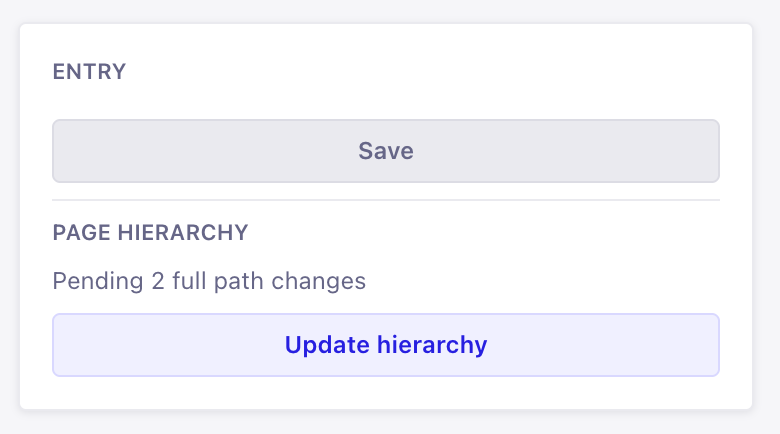
The Hierarchy single type in the admin panel lists all pending fullPath changes. The list is computed on demand by comparing every published page's stored
fullPathwith the one calculated from its parents' slugs — including all children of a moved or renamed page, in every locale.
-
Clicking "Update hierarchy" opens a confirmation dialog with every change that will be applied: the old path, the new path, and the redirect that will be created. Changes are grouped per locale — use the locale chips to filter the list.
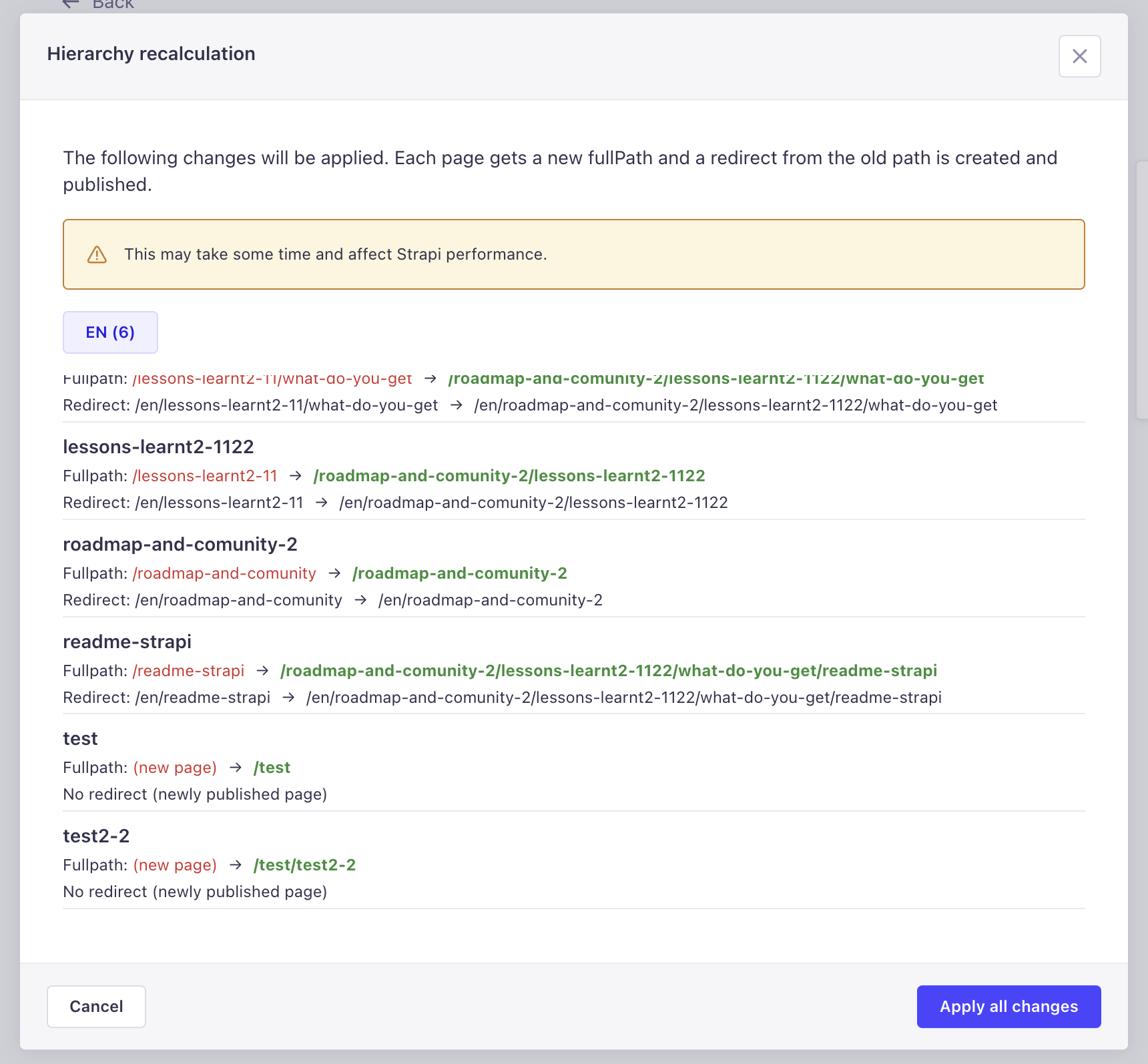
After confirming, the system:
- updates each affected page's published
fullPath(as a system write, so no further lifecycle cascades are triggered), - creates and publishes a redirect (
api::redirect.redirect) from the old path to the new path for every page that had a previous path — redirects are locale-aware, theirsourceanddestinationinclude the locale prefix, - revalidates the frontend cache for all touched paths and redirect sources in one batch,
- stamps
lastRecalculationAton the Hierarchy single type.
- updates each affected page's published
Newly published pages (no previous fullPath) get their path calculated without creating any redirect.
Workflow example
We want to change the slug of a page from page-a to page-b in en locale. This page has a child page with slug page-child.
-
Update the
slugfield of the page topage-b. -
Open the Hierarchy single type in the admin panel. The pending changes panel shows both affected pages (
/page-a→/page-band/page-a/page-child→/page-b/page-child). -
Click "Update hierarchy", review the listed changes in the dialog, and confirm.
-
Verify that the page has new
fullPathand its child page (page-child) has updatedfullPathas well. -
Verify that 2 redirects are created in the "Redirect" collection for the page and its children. Their
sourceanddestinationURLs should be correct and also include locale prefix:-
/en/page-a->/en/page-b -
/en/page-a/page-child->/en/page-b/page-child
-
Recommendations
Always maintain correct parent relations between pages to ensure proper hierarchy and URL structure.
Always do these operations during low traffic times, as they may affect performance and user experience.
Do one change at a time (e.g. change slug of one page, recalculate, verify results, then change slug of another page, etc.). This way you can easily track changes and avoid mistakes.
Caveats
-
Until the recalculation is confirmed in the Hierarchy single type, the
fullPathof the page is not updated and still contains the old value. The page stays accessible from the old URL until then. -
Pending changes are computed live from the current state — there is no job queue. If you revert a slug change before recalculating (
a→b→a), the pending change simply disappears and no redirect is created. Multiple renames before recalculating (a→b→c) collapse into a single change and a single redirect (a→c). -
Renaming a page across several recalculations never leaves a multi-hop redirect chain or a redirect loop behind — the redirect set is compacted automatically so every old URL reaches the current path in a single hop. See CMS Redirects → Compaction for the details and examples.
-
Strapi handles every locale separately - page in
enlocale can have differentslugor even differentparentrelation. That means that changing theslugin one locale produces pending changes only for that locale. If you want to change theslugin multiple locales, you must manually do same change for every required locale (it isn't a bug).- Based on this, the redirects are also created separately for each touched locale and the locale is embedded into
sourceanddestinationURLs.
- Based on this, the redirects are also created separately for each touched locale and the locale is embedded into
-
Recalculation and redirect creation are tied together and always run as one action. The generated redirects are what keep the old URLs working, so leave them in place in production. They are only safe to delete on a development or staging environment where the old URLs don't need to keep resolving (e.g. while seeding test content before launch).
-
If applying some change fails (e.g. a
fullPathuniqueness conflict), the rest of the batch still proceeds; failures are reported in the admin notification and logged by Strapi. Re-open the Hierarchy single type and run the recalculation again — changes that did not get applied are still listed as pending. The one exception: if thefullPathupdate succeeded and only the redirect creation failed, the change won't reappear as pending — create that redirect manually in the Redirect collection (the Strapi log contains its source and destination). -
You can't change
/slug from admin panel. The change requires update on the code level.
Related Documentation
- Page Builder — Page Builder specific documentation
- CMS Redirects — how the redirects created here are stored and served on the frontend